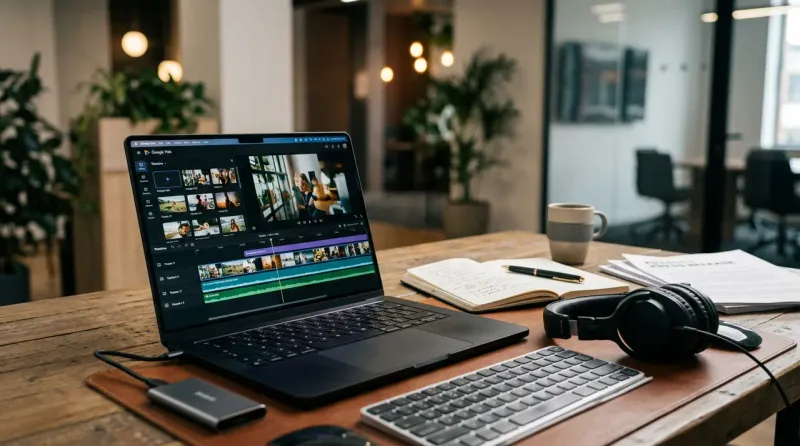
Google Vids is Google Workspace's AI video app, announced in April 2024 and now available on Workspace plans and personal Google accounts. PR and comms teams use Google Vids to build internal briefing videos, executive updates and social recap clips from a text prompt and existing brand assets. Since September 23, 2026, Gemini Omni 1.1 Flash inside Vids generates clips in 1080p with exact durations, according to Google's Workspace Updates blog.
What is Google Vids?
Google Vids is a browser-based video editor built into Google Workspace, positioned by Google alongside Docs, Sheets and Slides rather than as a standalone editing suite like Premiere or CapCut. It shipped generative features including "Help me create," AI voiceovers and background removal, and reached general availability for Workspace customers in November 2024, per the Google Workspace Updates announcement.
Google has since widened access. Its September 23, 2026 post lists Business Starter, Standard and Plus, Enterprise, Education Plus, personal Google accounts, and Google AI Pro and Ultra among the plans that receive Gemini Omni 1.1 Flash in Vids.
What can Google Vids actually generate?
Google Vids generates a full draft video from a text prompt, with a storyboard, stock footage and an AI voiceover, then lets an editor swap scenes and record narration with a built-in teleprompter, according to Google's own feature list for the app. Vids also pulls from a team's existing Google Drive footage, images and music, so assets a team has already approved do not need to be re-uploaded into a separate video tool.
Why it works: Vids runs on the Gemini Omni model family for video generation. Google's September 23, 2026 Workspace Updates post says Omni 1.1 Flash extends scenes while keeping lighting, characters and environment consistent, lets users set the exact duration of a generated clip so it matches a voiceover, and generates or upscales AI video to 1080p. That is the mechanism behind the two features PR teams use most: scene extension that stitches short clips into a longer sequence, and duration control that lines a clip up with a script.
Every AI-generated clip made in Vids carries an invisible SynthID watermark embedded by Google DeepMind, according to Google's blog post on Gemini Omni and personal avatars, which gives comms teams a built-in provenance marker if a journalist asks whether a clip is AI-generated. Teams already generating still graphics with the model covered in EPR's Nano Banana for PR guide will find the same SynthID approach carried through to video.
How do AI avatars work in Google Vids?
AI avatars in Google Vids deliver a scripted message on camera without a human presenter, and Google's June 2026 Workspace Updates post says they now run on Veo 3.1 and support 24 languages for avatars and voiceovers. Custom avatars can be designed with Nano Banana Pro and directed to take actions, not only speak.
Personal avatars use a likeness captured through a secure verification process tied to the user's Google Account, so only the account holder's own likeness can be used. Google's Workspace Updates documentation says personal avatars launched in English only for users 18 years and older, and Google's blog says access is limited to certain regions. For a comms team, that verification step is the practical control that keeps anyone else's likeness from being used to generate an executive statement without the executive's direct participation.
How are comms teams using Google Vids today?
Comms teams use Google Vids for video work that previously needed a videographer and an edit bay: a monthly all-hands recap, a crisis-response internal briefing that must go out before a formal shoot can be scheduled, or a localized version of one executive message dubbed into another language with AI voiceover.
Illustrative scenario: a corporate comms team needs an internal video within the hour explaining a policy change to 3,000 employees across five countries. The team drafts the script in Google Docs, generates a first-pass video with "Help me create," records the real executive narrating over the teleprompter for authenticity, and exports separate voiceover tracks for each market, all inside the Workspace login the team already uses for email and calendar.
Vids also supports importing PowerPoint files as encrypted Slides for teams on Microsoft Office, per Google's September 2026 Workspace Updates recap, which helps comms teams at organizations that have not fully moved off Microsoft 365.
A practical split many teams use keeps internal and draft-stage video in Vids for its speed and Drive integration, and routes final client-facing assets with brand-sensitive visuals through a dedicated editor or a purpose-built tool.
Google Vids differs from dedicated AI video tools like Synthesia and HeyGen by living inside the login and file system a comms team already uses for documents, slides and email, rather than requiring a separate account, asset library and export-and-reimport step. Dedicated avatar-video platforms generally offer a wider library of stock presenters and finer script timing controls, since that is their single focus, while Vids trades some specialization for direct integration with Docs for scripting, Slides for source decks and Drive for storage.
A team already paying for a separate AI video platform should weigh whether the specialized features it uses, such as custom avatar training or advanced timeline editing, justify keeping a second tool alongside Vids, or whether Vids now covers enough of that workflow to consolidate.
What does Google Vids cost?
Google Vids has no standalone price. Access to AI generation runs through Workspace and Google AI plans, and Google says users with the AI Expanded Access add-on get higher usage limits for Omni in Vids. Allotments of clips and avatar generations differ by plan and change often, so check Google's current Vids AI limits page before promising a client a number of AI-generated clips in a sprint.
What are the limits of Google Vids for PR use?
Google Vids is a better fit for internal and social-length video than for a broadcast-quality external campaign, because output tops out at 1080p in the current release and extended scenes can show consistency breaks between clips. Google says Omni 1.1 improved character and audio consistency during extension, but a team should review extended clips frame by frame before external use.
Admin controls matter for regulated organizations. Administrators can turn Vids on or off for specific users or a whole domain from the Workspace Admin console, and personal AI avatars stay off by default until an admin enables them, according to Google's Workspace Admin Help documentation. Google's September 23 post adds that the Omni 1.1 update has no separate admin control, so a healthcare, financial services or public-sector team should confirm with IT which settings are active before building an external-facing plan around Vids.
| Video need | Actions in Google Vids | Output |
|---|
| Internal executive update | Draft script in Docs, generate first pass, record real narration over teleprompter | Ready-to-send internal video, no edit bay needed |
| Multi-market localization | Generate one master cut, swap AI voiceover per market language | Several localized versions from one project |
| Crisis-response briefing | Use Help me create for a fast draft, swap in real footage once available | A same-hour placeholder video that a produced version later replaces |